Case Study

Mindbody
Branded App

Designing a custom branded app ecosystem that transformed how wellness businesses connect with their clients on mobile — and proved that great UX directly drives revenue.

Industry Wellness / SaaS
Role Product Designer
Platforms iOS & Android
Timeline 4 Months
Company Mindbody
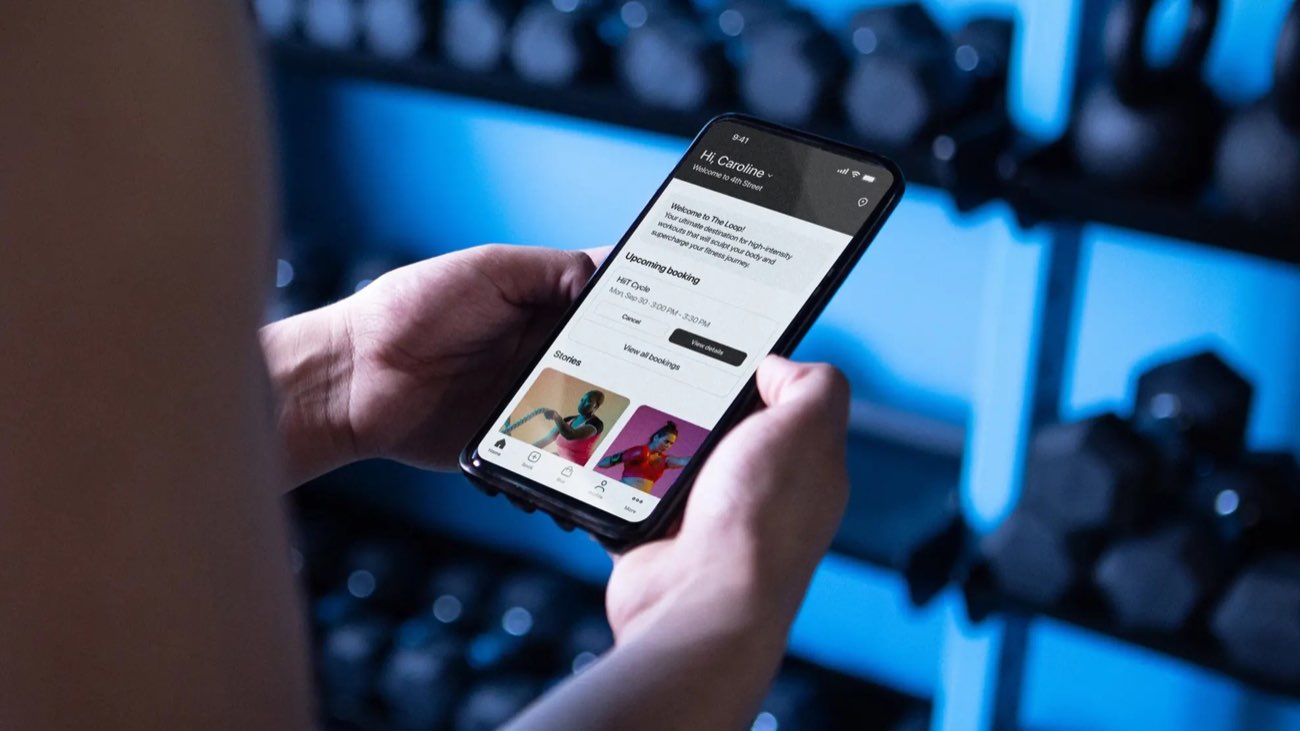
Mindbody Branded App
01 — Overview

A Mobile Experience Built
for Thousands of Wellness Brands

Mindbody's Branded App product lets wellness businesses — gyms, yoga studios, spas — offer their clients a fully custom-branded native mobile app. The problem: the existing app was built on outdated architecture, delivering a confusing, clunky experience that was driving clients away and flooding support queues.

I led the complete native redesign for both iOS and Android, focused on three core improvements: a cleaner interface that felt truly native, a map-based location discovery experience, and a dramatically simplified booking flow that reduced friction at every step.

View Live Product
Mobile Design iOS Android UX Research Design Systems Material Design H.I.G. Usability Testing
By the Numbers
35%
Increase in client booking frequency — shifting engagement from web to the new native mobile experience
4mo
Research to production — two platforms, a new design system, and full usability validation in one sprint cycle
Support
Measurable drop in studio support calls — clients no longer needed to call when the app actually worked
02 — Problem Statement

Outdated Architecture.
Frustrated Users. Lost Revenue.

The existing Branded App was built on aging architecture and it showed. The location discovery model — a plain list with no spatial context — made it genuinely hard for users who visited multiple studios to find what they needed. The schedule view was dense and the booking flow buried confirmation steps in a way that felt like the app was trying to stop you from completing a purchase.

The result: low client adoption, high booking abandonment, and a flood of inbound support calls to studios that were paying Mindbody to handle this for them. The product was actively costing business owners time and money.

I need to quickly see my studio's schedule and book my favorite class without calling or navigating a clunky app. Half the time I just give up and call them.

— Olivia Hayes, Dedicated Fitness Client · User Research Interview
03 — User Persona

Who We Designed For

Olivia Hayes
Olivia Hayes
Dedicated Fitness Client
Location
Urban / City Center
Tech Proficiency
High
Primary Device
iPhone
Visits / Week
3–5 classes
Goals
Find & switch studio locations via map
Book or cancel classes in under a minute
Get timely push notifications for updates
Frustrations
Slow, visually dated interfaces
Confusing schedule and time picker
App failing, forcing a call to the studio
Behaviors
Books classes 1–2 days in advance
Visits multiple studio locations
High expectations for app quality
💡
How Olivia shaped the design
Olivia visits multiple locations and books on the go — which made the flat location list the first thing we killed. Her pattern of switching between studios drove the decision to lead the app with a map view rather than a list, and her frustration with the time picker made it the most iterated component in the entire project.
04 — Research & Insights

Data First. Then Design.

Before touching Figma, I dug into quantitative analytics to find where users were dropping off, then paired that with qualitative interviews with both end clients and business owners. I also benchmarked leading booking and travel apps to understand what native mobile excellence looked like in 2022.

📍
Location Discovery Was Broken
Users with access to multiple studio locations had no intuitive way to find or switch between them. A map-based discovery experience was the clear solution — and validated by every interview participant.
📅
Booking Flow Had Too Many Steps
Analytics showed significant drop-off during scheduling and checkout. Users were abandoning mid-flow due to a confusing time picker and too many confirmation screens before booking was complete.
📱
Native Fidelity Was Non-Negotiable
Designing for both iOS and Android meant respecting Material Design and Apple's H.I.G. — not just visually but behaviorally. Users expected the app to feel like it belonged on their device, not like a web view in disguise.
05 — Design Process

How We Rebuilt It

01
Discovery
Quantitative + Qualitative Research
Analyzed drop-off data on the existing booking and location views. Conducted interviews with end-clients and business owners across studio types. Benchmarked top booking and travel apps to identify native mobile patterns that reduce friction.
02
Define
Insight Synthesis & Problem Framing
Mapped three core problem areas: location discovery, booking flow complexity, and platform inconsistency. Defined success metrics tied to booking completion rate, session frequency, and support call volume reduction.
03
Design
Native Redesign Across Both Platforms
Designed a map-based location discovery screen, a streamlined schedule view, and a simplified booking flow that cut required taps significantly. Built a dual-platform design system aligned to Material Design and H.I.G. with support for custom business branding.
04
Validate
Usability Testing & A/B Iteration
Ran moderated usability sessions focused on the map view and scheduling module — the two highest-friction areas. Conducted A/B testing on time picker variants. Iterated through multiple rounds until booking completion was fast, intuitive, and error-free.
06 — Design Solution

Fewer Taps. Better Experience.
More Bookings.

The redesign delivered three core upgrades that addressed every major pain point surfaced in research. Each solution was built to feel native to its platform while maintaining the brand flexibility that Mindbody's business customers depend on.

🗺️
Map-Based Location Discovery
Replaced the flat list with an interactive map view that lets users find nearby studio locations at a glance and switch between them seamlessly — solving the most-cited frustration in research.
Streamlined Booking Flow
Redesigned the entire booking journey — service selection, time picker, and checkout — to minimize required taps and remove ambiguity. Users can go from schedule to confirmed booking in seconds.
🎨
Dual-Platform Design System
Built a scalable design system foundation using Material Design and H.I.G. principles that supports per-business branding customization — so every branded app feels native and on-brand simultaneously.
07 — Outcomes

What We Delivered

35% Increase in Booking Frequency
Client usage and booking frequency increased 35% after launch — directly tied to the reduced friction in the new booking flow and location discovery experience.
Support Calls Dropped Noticeably
When users can actually complete a booking without confusion, they stop calling the studio. Business owners reported fewer inbound support calls post-launch — a direct signal that the experience was working as intended.
Modern Scalable Foundation
Established a design system that could scale across hundreds of branded apps while maintaining native fidelity on both iOS and Android — positioning the product for long-term growth.
Shipped in 4 Months
Full redesign from research to production in 4 months — covering two platforms, a new design system, and multiple iterated prototypes validated through usability testing.
08 — Key Learnings

What This Project Taught Me

Learning 01
Native Fidelity Builds Trust
Users notice when an app doesn't feel like it belongs on their device. Respecting platform guidelines — Material Design on Android, H.I.G. on iOS — isn't just good craft, it's the foundation of user trust in a mobile product.
Learning 02
Complexity Hides in the Details
The time picker seemed minor but was the most iterated component in the entire project. Scheduling complexity demanded intense focus and persistence — the difference between a good experience and a frustrating one was often a single interaction pattern.
Learning 03
UX Is a Direct Business Driver
This project made the ROI of design visible in a way that's hard to argue with. When booking completion goes up, revenue goes up. When the app stops confusing people, support costs go down. Framing design decisions in business terms — not just user terms — is how you earn a seat at the product strategy table.
Next Case Study
Dardano's Shoes