Disputes and Chargebacks
A new place in Mindbody Payments to see every card dispute, understand what is at stake and answer it before the deadline.
Money leaves the account
before anyone explains why.
When a client disputes a charge with their bank, the money is pulled back from the business. The business then has a short window to respond with evidence, or it loses the payment and a fee on top.
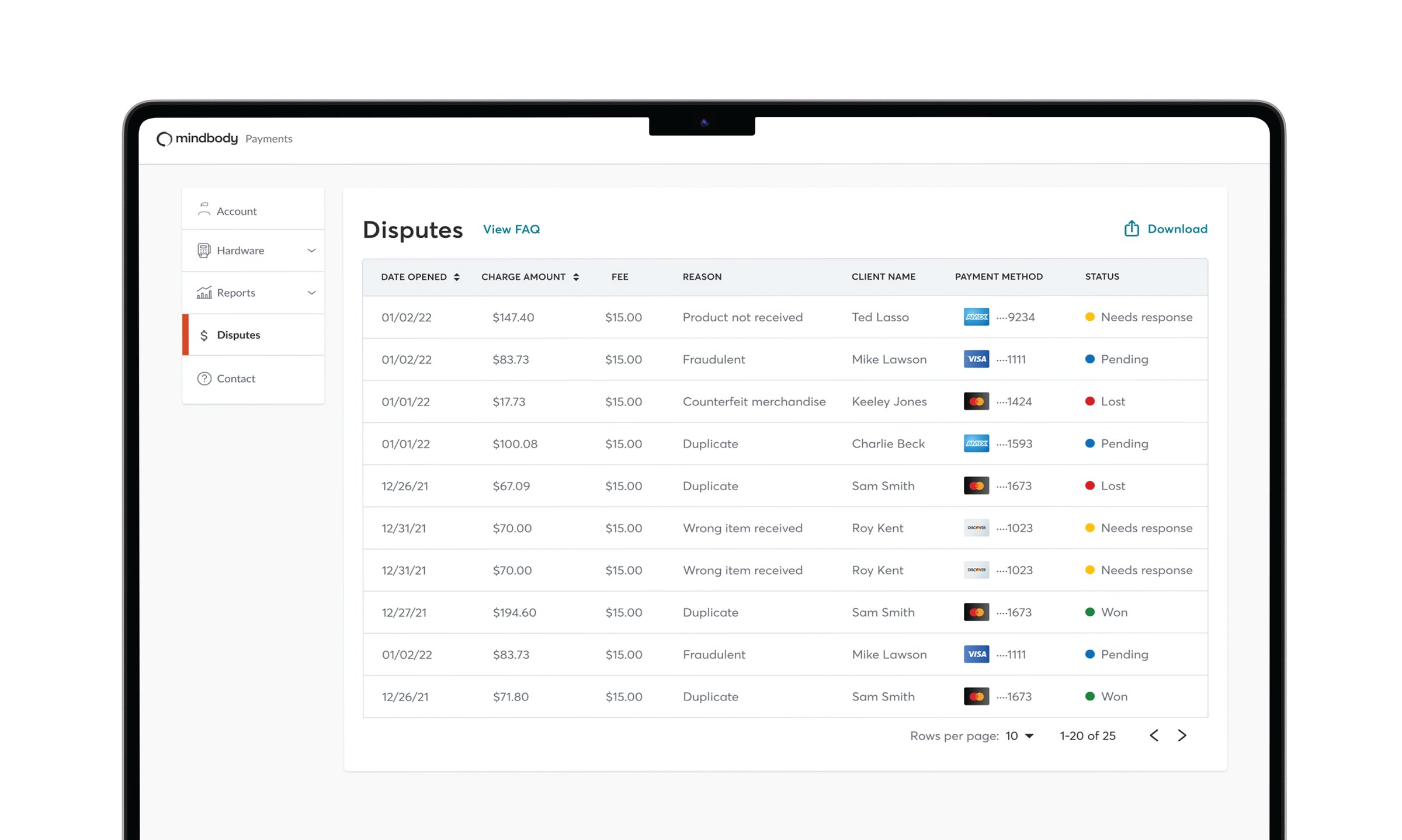
Studios taking payments through Mindbody had no place in the product to see this happening. Disputes was a net new feature: a list of every case with its status, a case page that leads with the money and the deadline, and a guided way to submit evidence. It lives in the Mindbody Payments portal next to Account, Hardware and Reports.
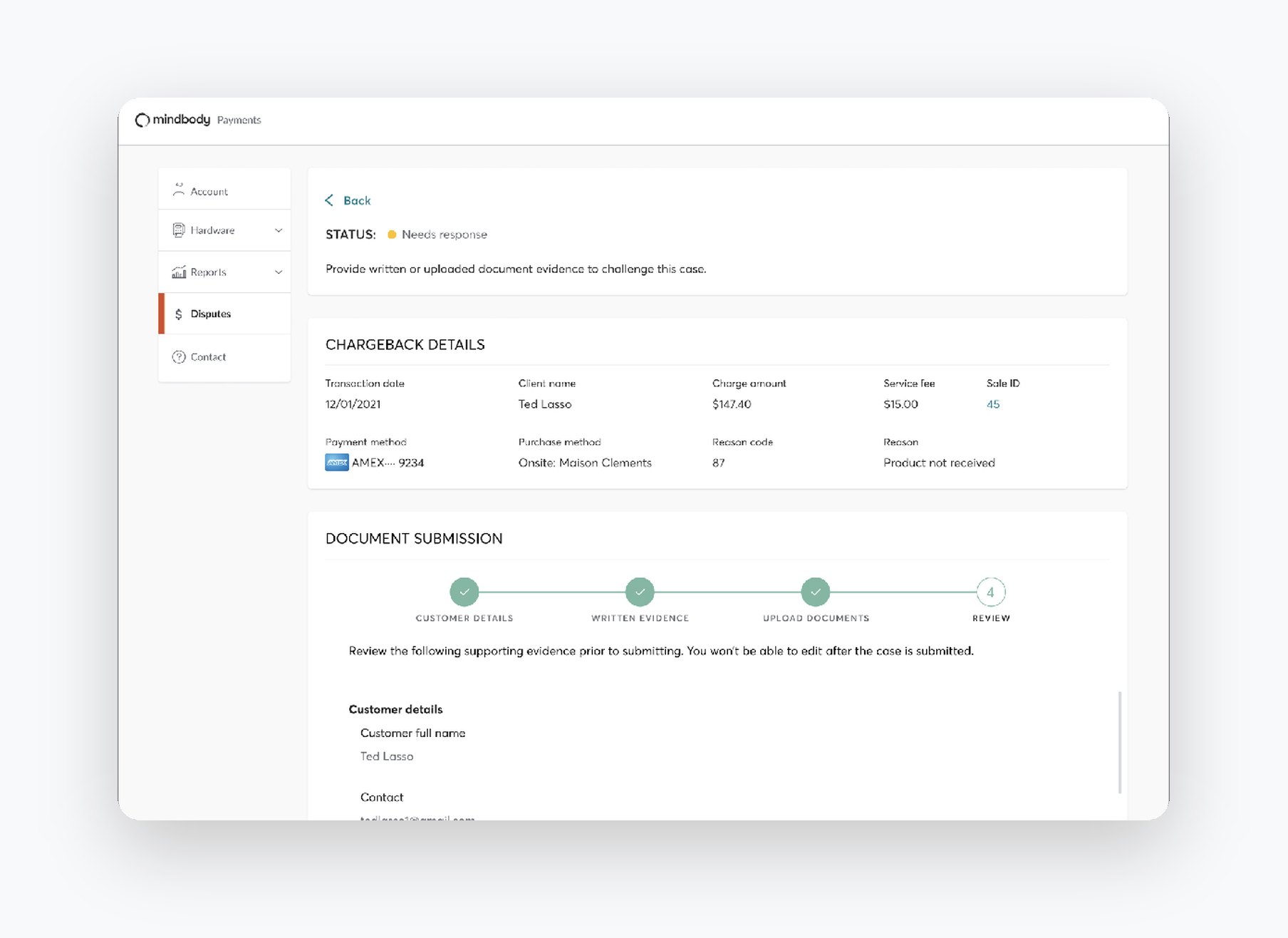
Steps to answer a dispute: customer details, written evidence, documents and review
Statuses an admin can scan in a second: Needs response, Pending, Won and Lost
Deadline on every case, with the days remaining, so nothing is lost by default
Chargebacks are a bank process.
Studio owners are not bankers.
Disputes come with the vocabulary of card networks: dispute types, reason codes like 87, service fees, issuing banks. Owners do not need to learn any of it. They need four answers: what happened, how much is at stake, by when, and what to send.
The stakes are lopsided. Respond with the right evidence on time and the money comes back. Miss the window or send the wrong thing and it is gone. So the design had to make the deadline impossible to miss and the evidence impossible to get wrong.
Disputes are also rare. Stripe, which powers Mindbody Payments, reports a 0.1% dispute rate across the platform. Rare is good for business and hard for design: most admins will face a chargeback only a few times, so they will never learn the process by repetition. The product has to teach it every single time.
Sources: Stripe customer story: Mindbody
Leading with what is
at stake.
I designed Disputes from the first list view to the final review step, working with our product manager and payments engineers on what the processor gives us for each case and what evidence the banks accept.
Lead with money and the deadline
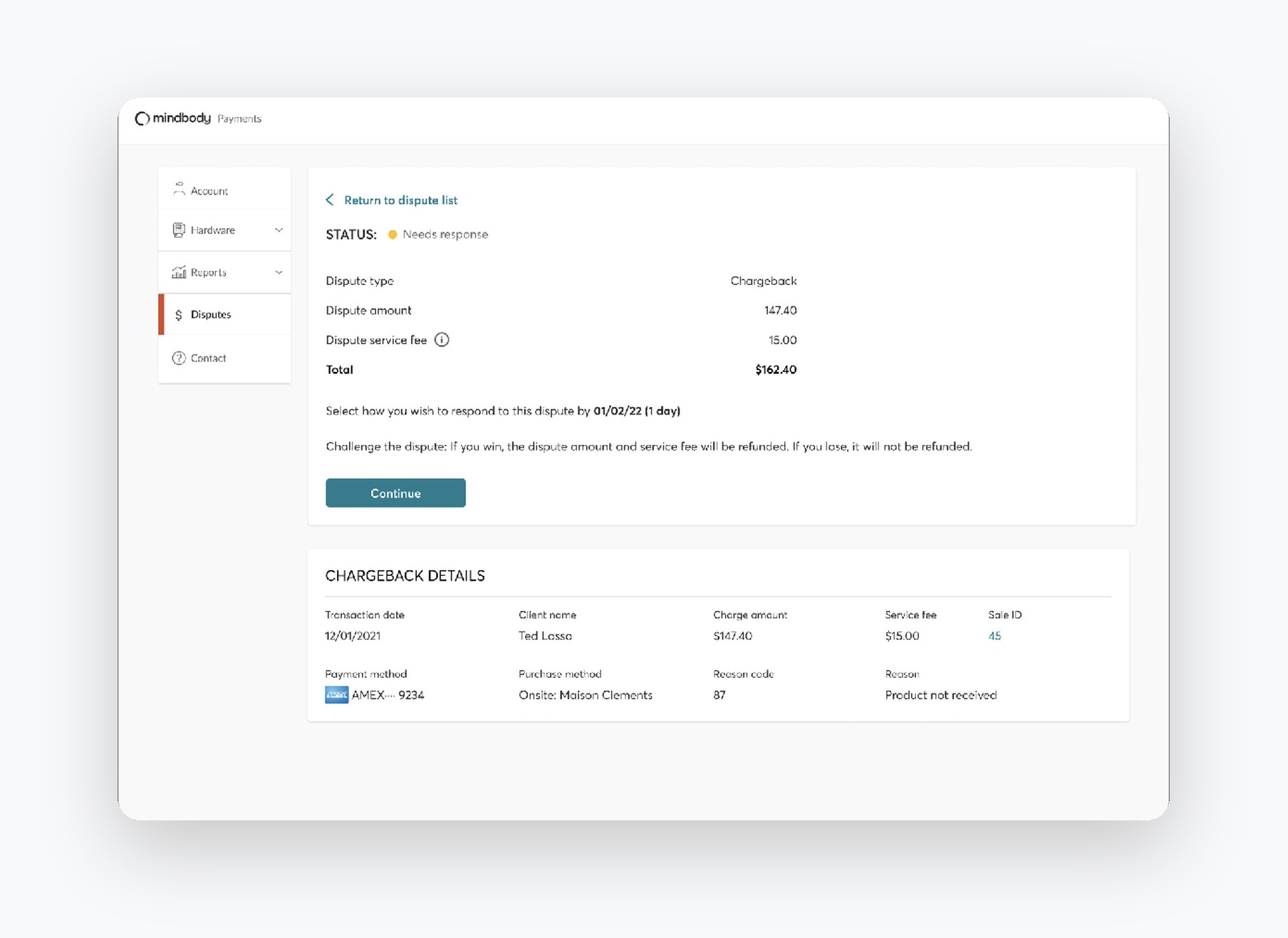
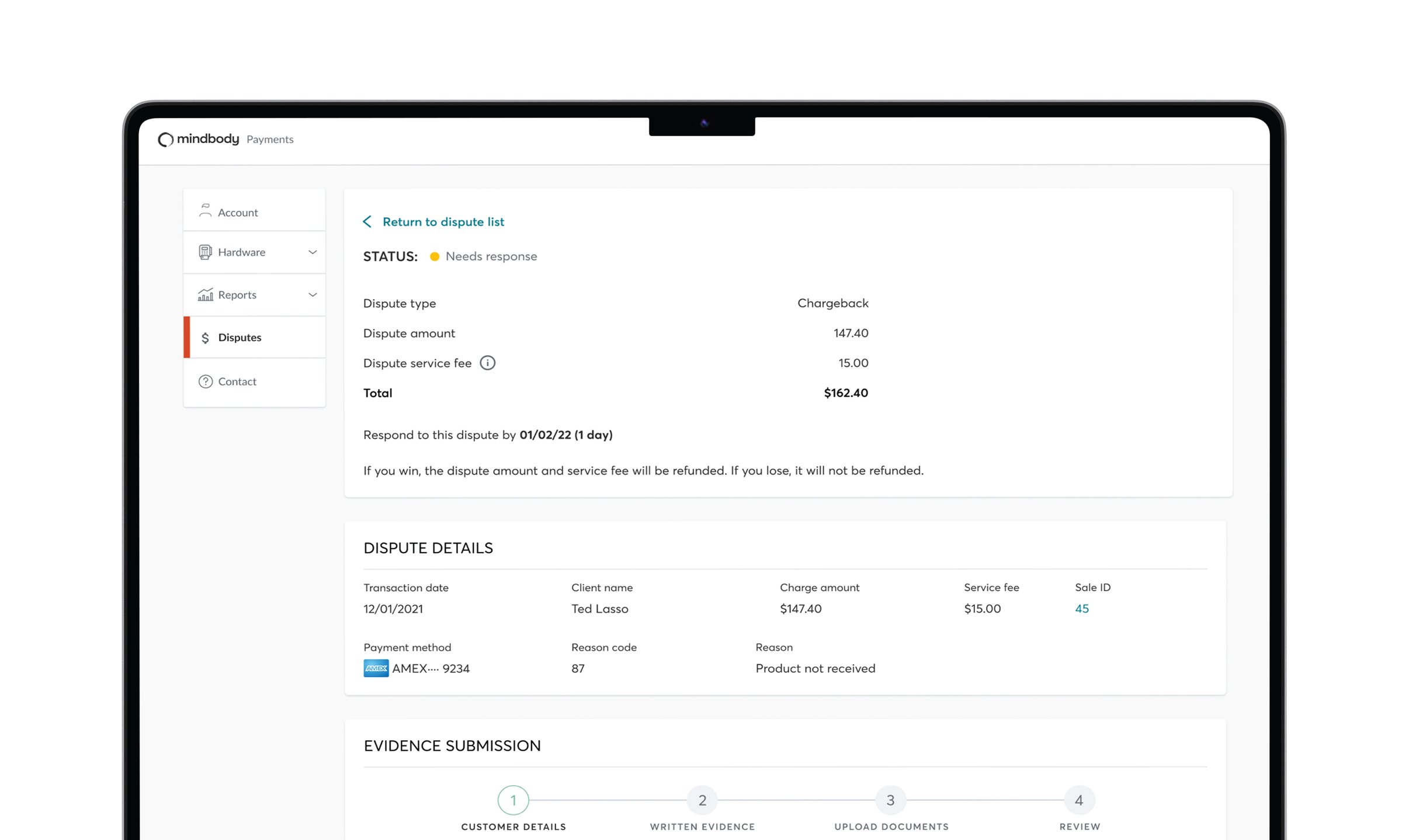
A case opens with its status, the dispute amount, the service fee and the total, then the respond by date with the days left. One plain sentence sets the stakes: if you win, the dispute amount and the fee come back; if you lose, they do not. Reason codes and card details sit lower down, for the people who need them.
Turn evidence into a checklist
Instead of one long form, evidence is four short steps with a progress bar: customer details, written evidence, uploaded documents and a review. The review step says clearly that a case cannot be edited once it is submitted, so admins check before they send.
From a separate form
to one case page.
The first version asked admins to choose how to respond and then continue to a separate evidence page. Moving the evidence steps onto the case page itself kept the amount and the deadline in view while admins write their response.
The Disputes tool,
in Mindbody's own words.
Disputes is live in Mindbody Payments, and Mindbody's help center now teaches owners the same flow this project set up. A pop-up on login flags any new dispute. In the Disputes tool, an owner chooses to accept the dispute or challenge it, checks the network reason code, gathers evidence from the software and submits it before the deadline.
The help center also puts numbers on why the deadline had to be impossible to miss: clients can file a chargeback up to 120 days after a purchase, once the due date passes no one can submit evidence, and the bank's review can take up to 12 weeks. Only the owner login can open the Payments Portal by default, which is why the design treats every case as something one busy person has to understand quickly.
How long after a purchase a client can typically file a chargeback
How long the issuing bank's review can take after evidence is submitted
Dispute rate across Mindbody Payments, as reported by Stripe
Sources: Mindbody Payments chargebacks quick guide, Mindbody Payments FAQ, Stripe customer story: Mindbody
Disputes, out of the bank's
inbox and into the product.
A net new capability
For the first time, studios could see every dispute in Mindbody, instead of finding out from a missing deposit.
Status at a glance
Color coded statuses, sorting by date and amount, and a download for the bookkeeper make a busy week of disputes easy to work through.
Clear stakes, clear deadline
Every case leads with the total at stake and the days left to respond, the two things that decide whether the money comes back.
A pattern for the Payments portal
Disputes uses the same shell and table patterns as the rest of Mindbody Payments, so it reads as part of the product, not a bolt on.